

 Saburo
You grabbed that Phillips #1 screwdriver, applied too much torque, and heard it: the sickening crunch of metal giving way. Now your Steam Deck’s back shell is stuck half-open, held hostage by a single stripped M1.6 screw. Panic sets in, but stop. Forcing it further risks damaging the motherboard or, worse, puncturing the battery. This guide walks you through extracting that stubborn screw safely, sourcing the right replacements, and getting your deck back in one piece without voiding every last bit of warranty protection you have left.
Why Steam Deck Screws Strip So Easily
The Steam Deck uses M1.6 x 5 mm screws for its rear casing. These are tiny, non-standard fasteners that you won’t find at your local hardware store. According to iFixit’s Back Cover Replacement Guide, this specific size requires precision tools. The official Valve Steam Deck Repair Center notes that using a Phillips #1 driver is standard, but if the tip is worn or slightly off-center, it cams out immediately. Once the cross-head shape deforms, you lose leverage. Most users rush this step during their first shell swap, eager to see their new transparent case or custom faceplate, and pay the price with a rounded head.
The Rubber Band Trick: Your First Line of Defense
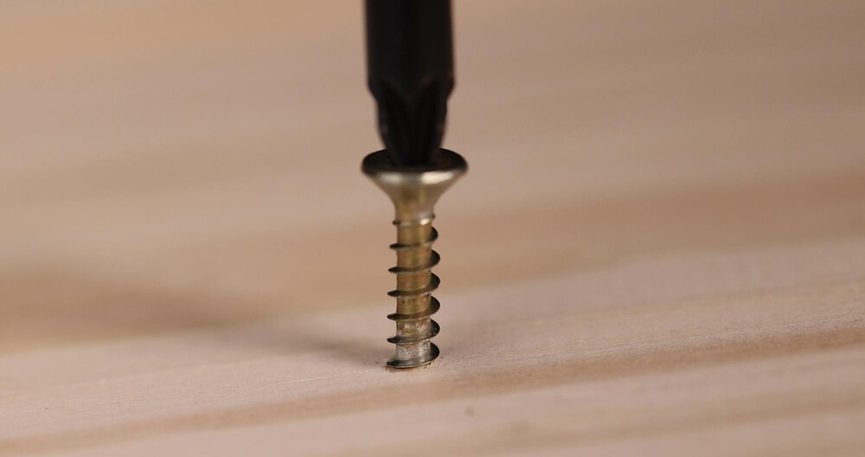
Before you break out the power tools, try the community’s favorite low-risk hack. Place a wide rubber band or a piece of latex glove over the stripped screw head. Press your screwdriver firmly into the rubber and turn slowly counter-clockwise. The rubber fills the gaps in the damaged head, providing extra grip. This method works surprisingly well for minor stripping where the edges are still somewhat intact. If the screwdriver just spins without biting, stop. You’re making it worse. Move to the next step.
Drilling It Out: The Nuclear Option
If the rubber band fails, you need to remove the head physically. This requires a drill press or a very steady hand with a pin vise. Use a 1.5 mm drill bit to carefully bore into the center of the screw head. Do not drill into the plastic chassis. The goal is to separate the head from the shank. Once the head pops off, you can lift the shell away. The remaining shank can then be gripped with pliers or extracted with a left-handed screw extractor. iFixit’s guide on stripped screw extraction emphasizes that this must be done with the battery disconnected to prevent any accidental shorts if the drill bit slips. If you’re nervous about drilling near your mainboard, consider professional help or reaching out to the community for advice on forums like Reddit.
Safety First: Disconnect That Battery
This cannot be stressed enough. The battery connector on the Steam Deck is fragile. Valve’s repair guidelines warn that forcing the case open while the battery is still connected is the number one cause of post-mod failures. If you slip with a metal tool, you can short the board instantly. Always disconnect the battery cable before applying any force to the chassis. If you’ve already damaged your trackpad or haptics during a previous attempt, see our guide on fixing Steam Deck trackpad haptics for recovery steps.
Getting the Right Replacements
Don’t try to jury-rig a generic screw. You need M1.6 x 5 mm Phillips heads. Brands like JSAUX and Dbrand sell replacement shell kits that include these specific screws. Buying a full kit is often cheaper and safer than hunting for individual screws online. If you’re swapping to a hall-effect joystick setup, ensure you have the right tools for that too, as detailed in our Hall Effect Joystick Swap guide. Using the correct screws prevents future stripping and ensures the case closes flush, avoiding the screen pressure issues discussed in our article on the Steam Deck screen scratch fiasco.
Expert Advice: Patience Pays Off
Stripping a screw isn’t a death sentence for your Deck, but it is a harsh lesson in humility. The M1.6 screws are unforgiving. Experts recommend investing in a quality screwdriver set with fresh tips before you ever open your device. If you do strip one, stay calm. The rubber band trick saves 50% of cases, and careful drilling saves the rest. Rushing leads to broken clips and scratched screens. Take your time, respect the battery connector, and use genuine replacement parts. Your Deck will thank you with years of reliable gaming.
FAQ
Can I still RMA my Deck after a stripped screw?
It depends on your region. In the US, Valve may deny warranty service if they deem the damage user-inflicted. In the EU, right-to-repair laws offer more protection, but physical damage like stripped screws can still complicate claims.
What size are the back shell screws?
The Steam Deck uses M1.6 x 5 mm Phillips head screws for the rear casing. These are proprietary sizes not found in standard hardware stores.
Do I need to replace all screws or just the damaged one?
You only need to replace the damaged screw. However, if other screws look worn or stripped, replacing the full set ensures a secure fit and prevents future issues.
Can I skip the shell swap and just use a skin?
Yes. Skins from Dbrand or other providers offer customization and protection without the risk of stripping screws or damaging internal components. It’s the safest mod for beginners.