

DeckGamer
  • About
  • Steam News
  • Deck News
  • Best Games
  • Game Perf & tweaks
  • Tech Tips & tutorials
  • Deck Mods
  • Accessories & gear
  • Troubleshooting
DeckGamer
  • About
  • Steam News
  • Deck News
  • Best Games
  • Game Perf & tweaks
  • Tech Tips & tutorials
  • Deck Mods
  • Accessories & gear
  • Troubleshooting
DeckGamer
DeckGamer
  • Home
  • Steam News
  • Deck News
  • Best Games
  • Game Perf & tweaks
  • Deck Mods
  • Tech Tips & tutorials
  • Troubleshooting
  • Accessories & gear
  • About
Home Deck NewsSteam Deck Screen Scratch Fiasco: Valve’s Response to Post-Swap Issues
Deck News

Steam Deck Screen Scratch Fiasco: Valve’s Response to Post-Swap Issues

by Saburo 2 weeks ago
by Saburo 2 weeks ago 0 comments 1 minutes read
20

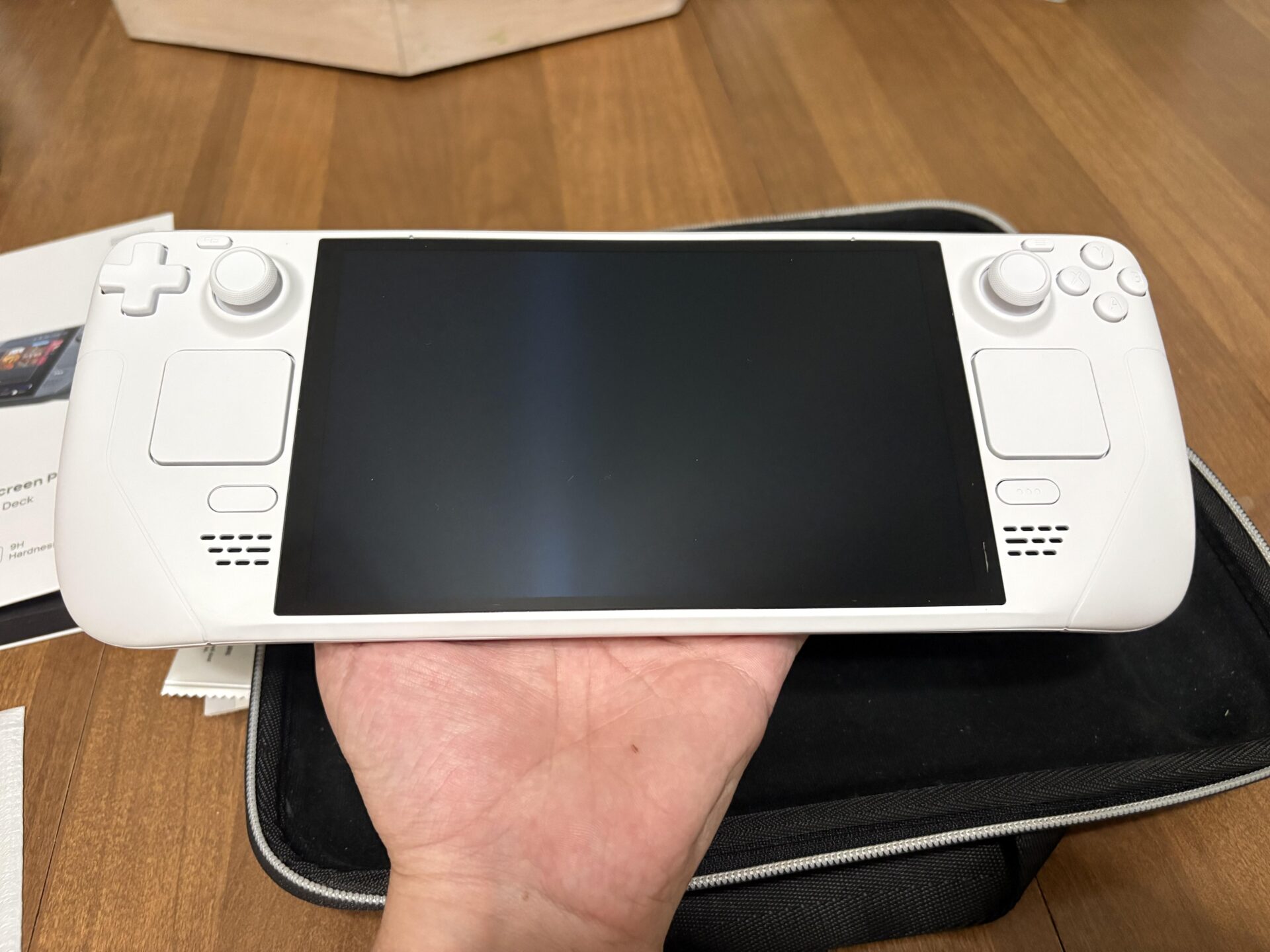
Recently, a Steam Deck user reported a significant issue with their device after a professional shell swap. The user discovered a noticeable scratch under the glass, which was not present before the swap. This has sparked a discussion within the community and a response from Valve.

What Happened?

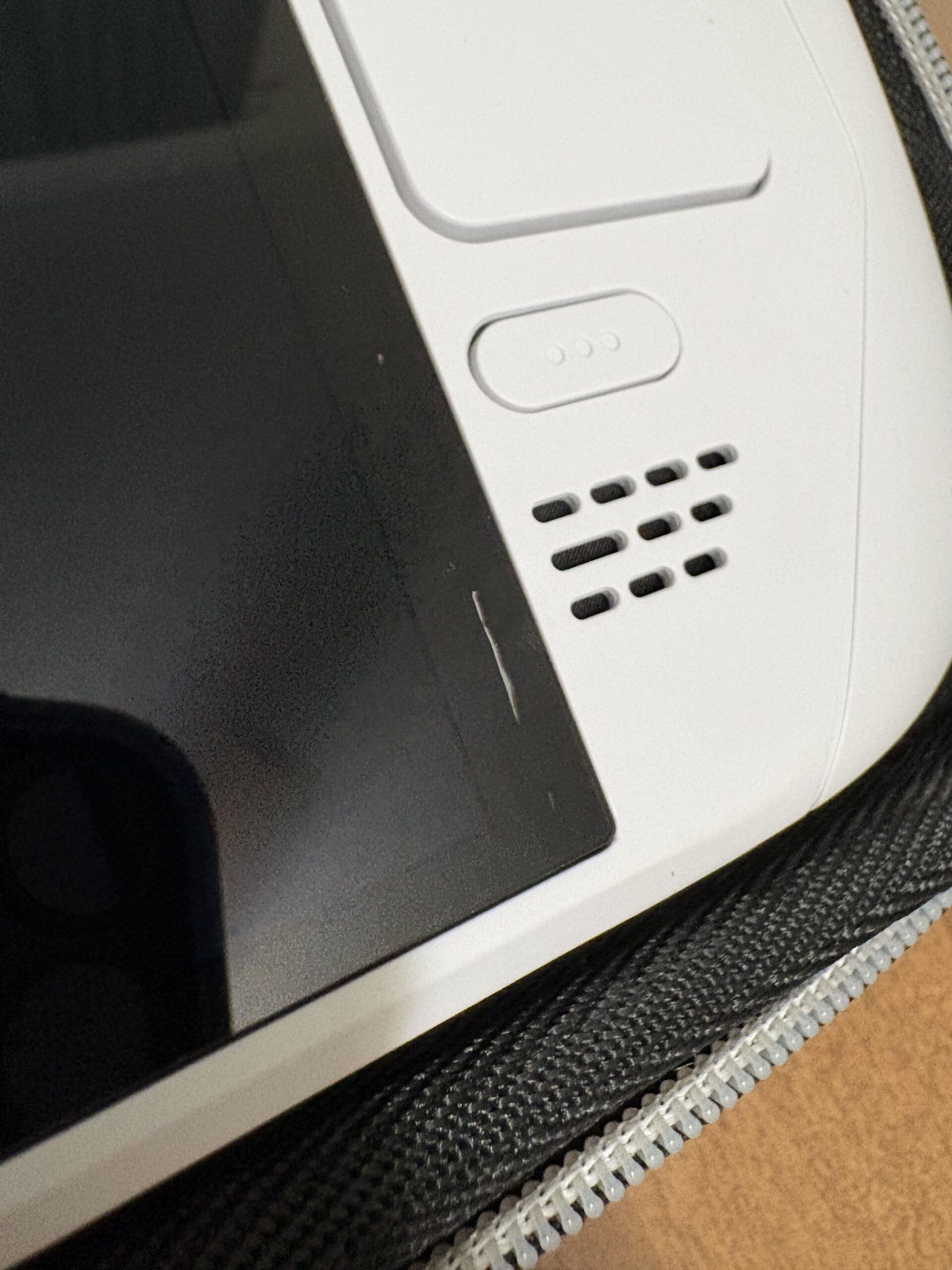
A Steam Deck owner, who had their device professionally swapped for an OLED shell, noticed a scratch under the glass along the black border. The user shared their experience on Reddit, where they detailed the problem and the unsatisfactory response they received from the service provider.

The User’s Experience

After paying $164 for the shell swap, the user returned the device to the service center, expecting a resolution. However, the service center merely colored in the scratch, making it less noticeable but still visible. The user then reached out to Valve for a more satisfactory solution, but the response was dismissive, as reported on Reddit.
Potential Solutions and Community Feedback

While the official response from Valve was not what the user hoped for, the community has offered some practical advice and support. Some suggested speaking directly to the owner of the service center, while others encouraged the user to persist in seeking a resolution.

For those facing similar issues, it’s important to document the problem thoroughly and reach out to multiple points of contact. If the service center is unresponsive, contacting higher management or even the manufacturer directly can sometimes yield better results.

Conclusion: Key Takeaways for Steam Deck Owners

It’s crucial for users to be vigilant and proactive when dealing with such issues. Documenting the problem, reaching out to multiple levels of support, and not giving up are key steps to take. While Valve’s initial response was disappointing, the community’s support and advice can make a significant difference.

Share 0 FacebookTwitterPinterestEmail

Steam Deck. Just Awesome.

Top Categories

Best Games Accessories & gear Steam News Deck News Deck Mods Tech Tips & tutorials Game Perf & tweaks Troubleshooting

Recent Posts

  • Best Steam Deck Games Under 1 GB: Tiny Installs, Huge Fun

    2 hours ago
  • Steam Deck Fan Curve Tuning: The Custom Profile That Cuts Noise Without Cooking Your APU

    14 hours ago
  • Steam Deck Stripped Screw? How to Fix a Shell Swap Gone Wrong

    1 day ago
  • Steam Deck M.2 2230 SSD Upgrade: The Safe Way to Double Your Storage

    2 days ago
  • Steam Deck OLED in a Glovebox: The 2026 Console-Car-Charging Reality Test

    3 days ago

Subscribe now

Subscribe my Newsletter for new blog posts, tips & news.
Let's stay updated!

DeckGamer

We're all about the Steam Deck.
News, gaming, Linux tips, hardware, troubleshooting. DeckGamer is the best and most trusted source about the Steam Deck handheld console.

Logo DeckGamer.com
  • About
  • Contact
  • Partnerships
  • Legal Notice
  • Privacy Policy
Copyright @2025  DeckGamer – All Right Reserved.
Facebook Twitter Youtube Pinterest Linkedin Spotify
DeckGamer
  • About
  • Steam News
  • Deck News
  • Best Games
  • Game Perf & tweaks
  • Tech Tips & tutorials
  • Deck Mods
  • Accessories & gear
  • Troubleshooting