

 Saburo
Modding your Steam Deck in 2026 is easier than ever, but choosing the right tool matters. Limo and r2modman are now solid native options on SteamOS — no need to force Windows tools like MO2 under Proton unless you really have to. Let me break down which one to use based on your game and mod type.
Why You Need a Mod Manager on Steam Deck
SteamOS is Linux under the hood, which means not all Windows mod tools work natively. But Valve’s push for openness has made native modding possible. You’ve got options now — and they’re not all equal.
Limo: The Native Mod Manager for Bethesda and More
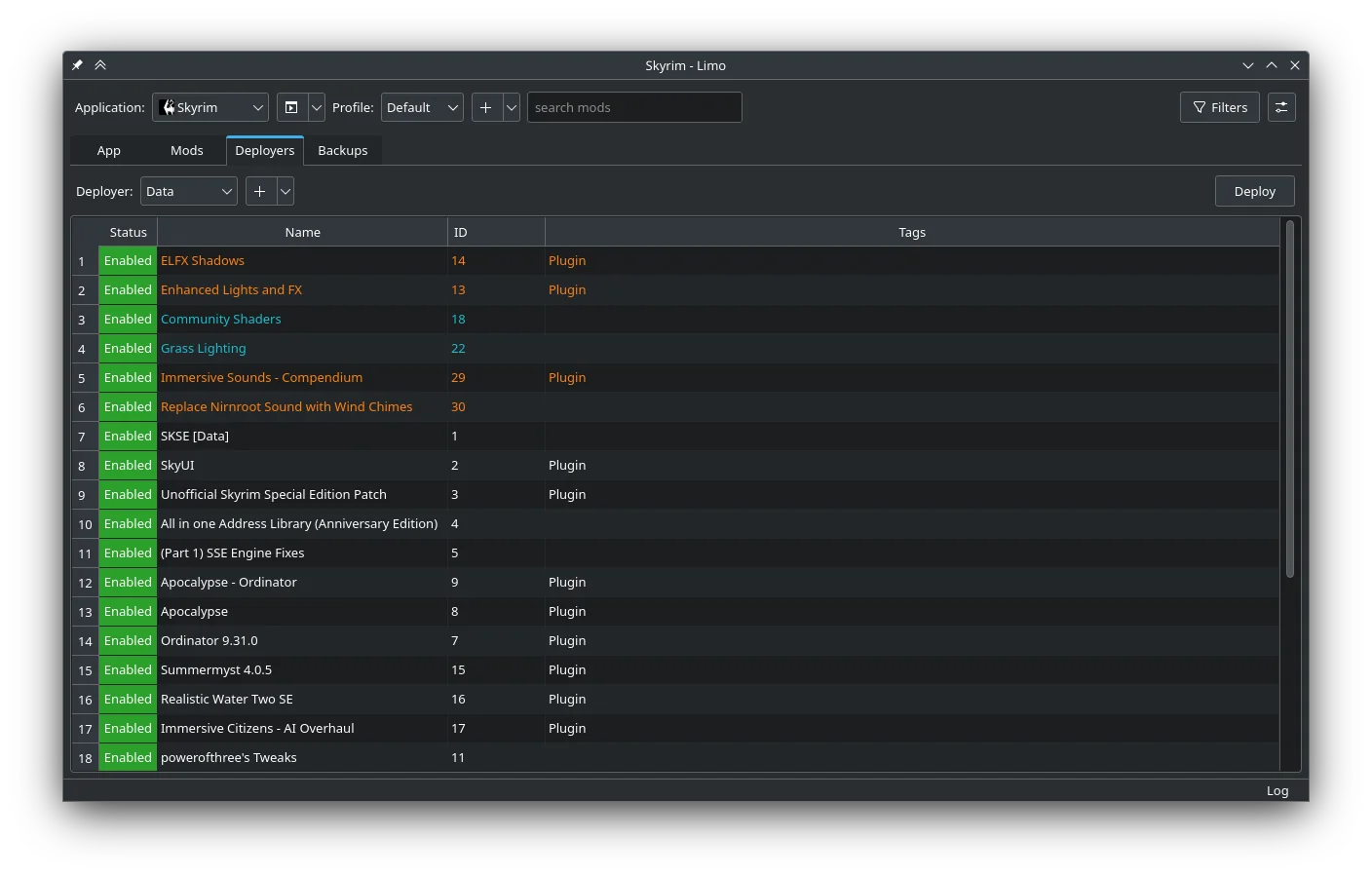
Limo is a free, open-source mod manager built for Linux systems like SteamOS (source). It supports games like Skyrim, Fallout 4, and even Cyberpunk 2077 with mods like CET and RedExt. You install and deploy mods via Limo, then launch the game normally through Steam — no need to run the game from Limo itself (source).
What makes Limo shine is its native support. It’s available in the Discover Store as a Flatpak, so you can install it with just a couple of clicks. No Proton, no compatibility layers. Just clean, native Linux modding. Installation for Steam Deck : Go into desktop mode and open Discover. Type Limo into the search field and click on the app. There should be an Install button in the top right corner.
r2modman: Thunderstore’s Native Powerhouse
If you’re modding games like Lethal Company or Risk of Rain 2, r2modman is your go-to. It’s free, open-source, and runs natively on Linux — which means it works perfectly on Steam Deck without any extra setup (source).
r2modman connects directly to Thunderstore, the mod hub for many Unity-based games. It handles mod downloads, dependencies, and profiles like a champ. And because it’s built for Linux, you don’t need to mess with Proton or Wine.
MO2 (Mod Organizer 2) via Proton: The Fallback Option
Some mods still require a Windows .exe installer — especially older Nexus Mods. In those cases, you can run MO2 under Proton. The workaround? Add the installer as a non-Steam game, assign a Proton version, and run it. The mod files will end up in the game’s Proton prefix under compatdata/ (source).
But let’s be real — if you’re using MO2 under Proton when Limo or r2modman are available, you’re just making life harder. Stick to native tools unless you have no choice.
Comparison Table: Limo vs r2modman vs MO2/Proton
| Tool | Game Types | Difficulty | Native Linux |
|---|---|---|---|
| Limo | Bethesda (Skyrim, Fallout 4), Cyberpunk 2077 | Easy | ✅ |
| r2modman | Thunderstore (Lethal Company, Risk of Rain 2) | Easy | ✅ |
| MO2 via Proton | Nexus Mods (older games) | Moderate | ❌ |
FAQ
- Can I use Vortex on Steam Deck? Yes, but it’s not native. You’ll need to run it through Proton, which is slower and less stable than Limo or r2modman.
- Do mods disable achievements? Sometimes. It depends on the game. Bethesda games usually disable achievements when mods are active. Thunderstore games often keep achievements enabled.
- Can I mod all Steam Deck games? Not all. Some games are locked down or use anti-cheat systems that block mods entirely.
Verdict: Install Limo First, Then r2modman
Start with Limo. It’s available in the Discover Store and takes two clicks to install. If you play Thunderstore games, grab r2modman next. Only go for MO2 via Proton if you’re forced to by old Nexus mods. Native tools are faster, cleaner, and more reliable — and that’s what Steam Deck is all about.