

 Saburo
In short: Choose tempered glass for indoor play to preserve OLED clarity, or a matte anti-glare film if you game outdoors to eliminate reflections. Always buy a protector sized specifically for your LCD or OLED model.
Slapping a piece of glass or plastic on your Steam Deck sounds simple until you realize it changes how the touchscreen feels under your fingers and how colors pop during a dark cutscene. The best Steam Deck screen protector depends entirely on where you play and what you hate more: fingerprints or glare. Tempered glass keeps the display sharp but turns it into a mirror outdoors, while matte films kill reflections at the cost of that crisp OLED clarity. You need to pick your trade-off before you buy.
The Real Difference Between LCD and OLED Deck Screens
Your choice of protector starts with knowing exactly which Deck sits in your hands. The Steam Deck LCD model uses a 7-inch 1280×800 IPS display, while the OLED model uses a 7.4-inch 1280×800 OLED panel; screen protectors are generally sold by model because the display dimensions and bezels differ slightly. Buy an LCD protector for an OLED Deck and you will end up with ugly overhang or exposed edges that collect dust.
The OLED version pushes visual fidelity much further. According to Valve’s announcement on Reddit, the Steam Deck OLED uses a 7.4-inch HDR OLED display with a 90Hz refresh rate and a 1000-nit peak brightness, which makes glare and reflection handling a real concern outdoors and in bright rooms.
That 1000-nit peak brightness means the screen fights ambient light hard, but a glossy tempered glass protector can undo all that work by bouncing sunlight straight back into your eyes on the train.
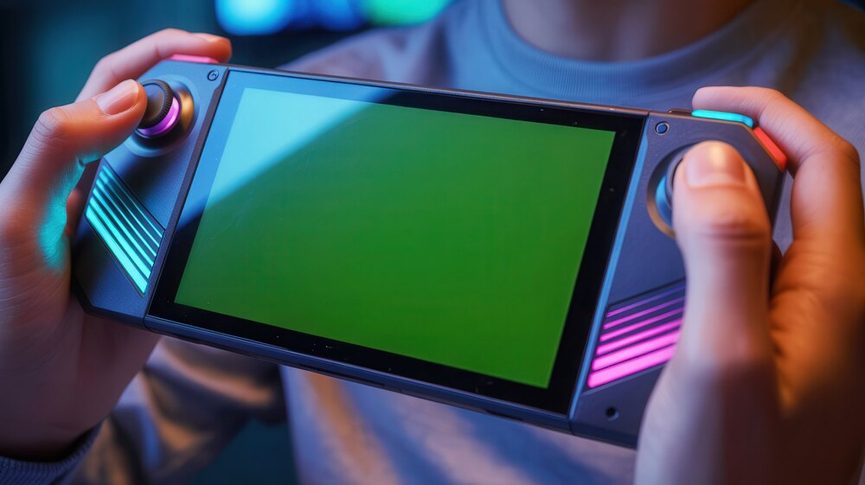
Tempered Glass vs Anti-Glare Film: What Actually Changes
Most buying guides just throw product links at you. We care about what happens to your game when the protector goes on.
According to the iFixit community, the Steam Deck has a capacitive multi-touch screen, and adding a thick glass layer can slightly reduce touch sensitivity and stylus-like precision, especially with cheap protectors that have air gaps. If you rely heavily on the touchscreen for strategy games like Civilization VI or Baldur’s Gate 3, a thick, poorly applied glass sheet will make your inputs feel mushy. Premium glass avoids this by using better adhesive layers that eliminate those micro-gaps.
Then there is the visual side. According to the SteamDeckHQ community, anti-glare films reduce reflections but can add a slightly grainy texture to the image, while tempered glass preserves clarity better but reflects more light. Think about playing Hades II in a dimly lit room. A glass protector keeps those vibrant reds and purples punchy. Take that same setup to a sunny patio, and you will spend half your time looking at your own reflection instead of Zagreus.
Some companies bridge this gap with hybrid approaches. Encased, for example, sells matte anti-glare etched glass, combining the physical protection of glass with a textured surface that scatters light. It is a niche option, but it proves you do not always have to choose strictly between plastic film and clear glass.
Key takeaway: Tempered glass preserves display clarity but reflects light, while matte films eliminate glare at the cost of slight image graininess. Hybrid etched glass options exist for those who want both protection and reduced reflections.
Brands the Deck Community Actually Trusts
You will see dozens of random brands on Amazon selling five-packs of protectors for twelve bucks. Most use inferior adhesives that leave residue or fail to cover edge-to-edge. Two names consistently survive Reddit scrutiny.
First is dbrand. They sell Steam Deck screen protectors and cases, and based on discussions across the r/SteamDeck subreddit, they remain a popular community-recommended accessory brand for Deck owners. Their tempered glass kits usually include alignment frames that take the guesswork out of installation. You pay a premium, but the fitment matches Valve’s exact bezel tolerances.
Second is JSAUX. They produce Steam Deck accessories including screen protectors, docks, and cases, and are frequently cited in the Steam Deck community as a value alternative. If you want solid protection without paying dbrand prices, JSAUX hits the sweet spot. They offer both clear and matte options, giving you flexibility depending on your lighting environment.
Installing Your Protector Without Losing Your Mind
A ten-dollar protector installed perfectly beats a thirty-dollar one covered in dust specks. Here is how you get it right the first time.
- Work in a humid room. Run your shower on hot for five minutes to weigh down airborne dust particles. Bathroom installations sound weird, but they work.
- Use the alcohol wipe, then the dry cloth, then the sticker. Do not skip the dust removal stickers. One microscopic fiber trapped under glass looks like a dead pixel forever.
- Hinge method for alignment. Before peeling the adhesive backing, line up the protector on the screen and tape one edge down with painter’s tape. Flip it open like a book, peel the backing, and flip it closed. This guarantees perfect centering every time.
- Bubble fixes. Small air bubbles usually push out toward the edges if you use a credit card wrapped in a microfiber cloth. If a bubble refuses to move, lift the nearest corner slightly, let the air escape, and lay it back down slowly.
Consider avoiding messy environments like couches during installation; a single stray cat hair or crumb can ruin the application, requiring you to peel it off and start over. Instead, perform your installation on a clean, flat desk.
Choosing the Right Protector for Your Play Environment
Stop treating screen protectors as a generic accessory. If you play mostly indoors, in bed, or in dim rooms, grab a high-quality tempered glass protector from dbrand or JSAUX. You keep the OLED contrast intact and maintain the smoothest touch response. If you commute daily, sit near windows, or play outside, swallow the slight graininess penalty and go with a matte anti-glare film. Sacrificing 5% of visual sharpness to actually see your screen in daylight is a trade worth making. Protect the glass, but prioritize your actual gaming conditions over spec-sheet perfection.
FAQ
Does a screen protector affect touch sensitivity on the Steam Deck?
A thin, well-applied tempered glass protector barely impacts touch response. Thick, cheap glass with air gaps underneath will make swipe gestures and precise taps feel delayed or inaccurate.
Will an LCD screen protector fit the Steam Deck OLED?
No. The LCD model has a 7-inch screen while the OLED model measures 7.4 inches with different bezel dimensions. Always buy a protector specifically labeled for your exact Deck version.
Is matte or clear better for the Steam Deck OLED?
Clear glass preserves the OLED’s deep blacks and vibrant HDR colors. Matte film eliminates glare for outdoor play but introduces a subtle grainy texture to the image.
How do I remove bubbles from my Steam Deck screen protector?
Gently push small air bubbles toward the nearest edge using a microfiber cloth. For stubborn bubbles, carefully lift the closest corner of the protector to release the trapped air, then press it back down.