

 Saburo
Valve just shipped an entirely new console, and no, it’s not a Steam Deck 2. The Steam Machine launched on June 30, and if you’ve got a Deck sitting on your coffee table right now, you’re probably wondering whether this thing just made your handheld obsolete. Short answer: no. Slightly longer answer: it depends what you actually use your Deck for. Let’s break it down.
What Valve actually announced
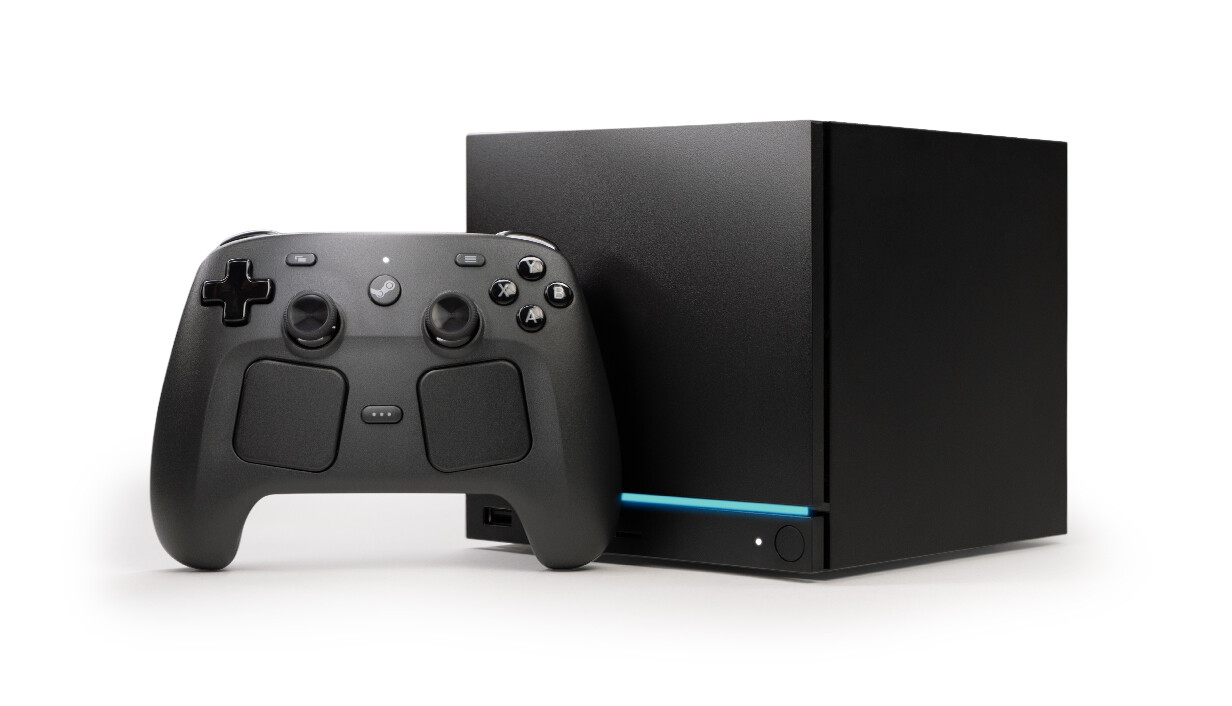
According to PCGamesN’s launch coverage, the Steam Machine starts at $1,049 for the base 512GB model, climbing to $1,428 for a 2TB bundle that throws in a Steam Controller and extra faceplates. Under the hood it’s running a semi-custom AMD Zen 4 CPU paired with an RDNA 3 GPU, 16GB of DDR5 system memory, and 8GB of dedicated GDDR6 VRAM. Valve is pitching it as roughly 6x the graphical horsepower of the Steam Deck, aimed squarely at 4K/60fps output using FSR upscaling.
So yes, on paper this thing absolutely demolishes the Deck. But that comparison misses the point, because it’s not the same category of device at all.
This is a living-room box, not a handheld replacement
The Steam Machine plugs into your TV. It doesn’t have a screen, it doesn’t fit in a bag, and you’re not taking it on a plane to grind through your backlog on a flight. It’s Valve’s answer to “I want console-quality gaming on SteamOS without touching Windows,” competing more with a PS5 or a beefy mini-PC than with anything handheld.
The Deck’s entire pitch was always portability first, power second. That hasn’t changed. If your use case is “I game on the couch or at a desk with a monitor,” the Machine is a legitimate upgrade path. If your use case is “I game in bed, on the train, or literally anywhere that isn’t near an outlet,” nothing about this announcement touches you.
Does this mean Valve is deprioritizing the Deck?
I get why people jump to that conclusion, but there’s no signal pointing that way. SteamOS updates have kept coming on their usual cadence, and Valve has a long track record of running multiple hardware lines in parallel without abandoning the older one (see: the original Deck LCD still getting sold and supported well after the OLED model shipped). A new SKU in a completely different form factor doesn’t automatically mean the Deck’s roadmap gets starved.
What’s arguably more relevant to Deck owners is the price move Valve made a few weeks before all this: on May 27, the Deck OLED lineup got noticeably more expensive, the 1TB model jumping from $650 to $950 and the 512GB from $550 to $790. Valve pointed to rising component costs and global logistics pressure. Combine that with the Machine launch and you get a company clearly leaning into “premium hardware across the board” rather than chasing a budget handheld race.
Should you actually care?
If you already own a Deck and mainly use it for what it’s good at, portable play, couch gaming with a controller, tinkering with Proton and SteamOS, this changes nothing for you today. If you’ve been eyeing a dedicated living-room SteamOS box instead of building a mini-PC or picking up a console, the Machine is worth watching once reviews and real-world benchmarks land. Don’t let the “6x the power” headline pressure you into an upgrade you don’t need: check your actual play habits first, then decide if a second, stationary device makes sense next to the Deck you already have.